


Use onomeo in SillyTavern
SillyTavern talks to any OpenAI-compatible service, so it talks to onomeo. Follow the four steps below and your characters run on this site's models.
Bring your characters to life.
What to fill in
OpenAI-compatible
Use these details in any OpenAI-compatible tool.
No key yet? Create one on the My account page, then come back — the fields below fill in by themselves. Go to My account
Step by step
Open the API connections panel
Open SillyTavern and click the plug icon along the top. The first time, it asks you to pick a name; just press Save.

A red plug means it is not connected to anything yet. Enter this site's address and your key
Set API to Chat Completion and Chat Completion Source to Custom (OpenAI-compatible). Put the address below in Custom Endpoint and your key in Custom API Key (copy it from "What to fill in" above), then press Connect.
https://onomeo.cyou/v1
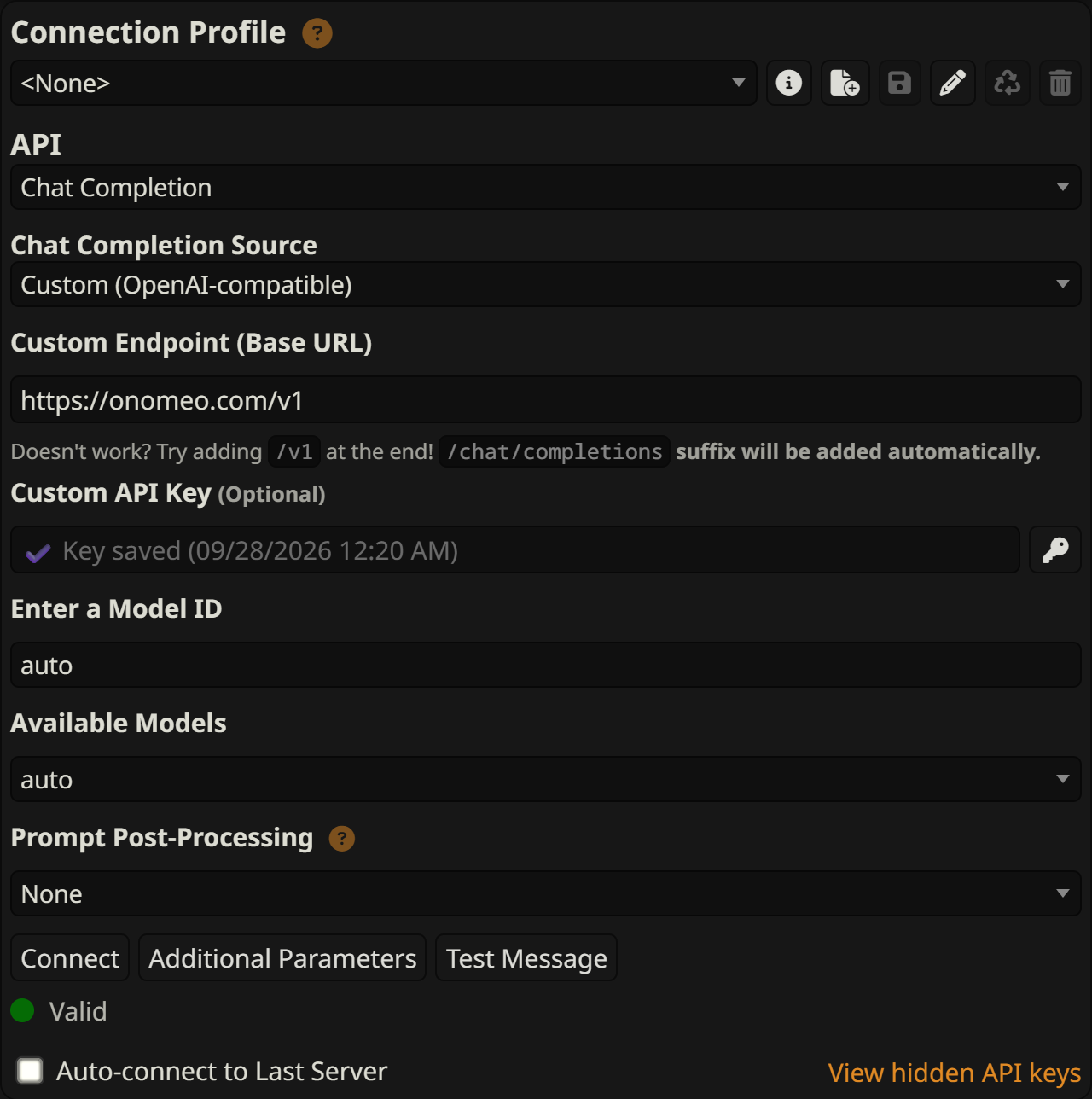
Fill in the five framed places and press Connect. Once saved, the key shows as Key saved. Pick a model
Choose auto under Available Models, or any model from the models page.
A green Valid below means it is connected to this site. Start chatting
Click the plug icon again to close the panel, type a line in the box at the bottom and press Enter.
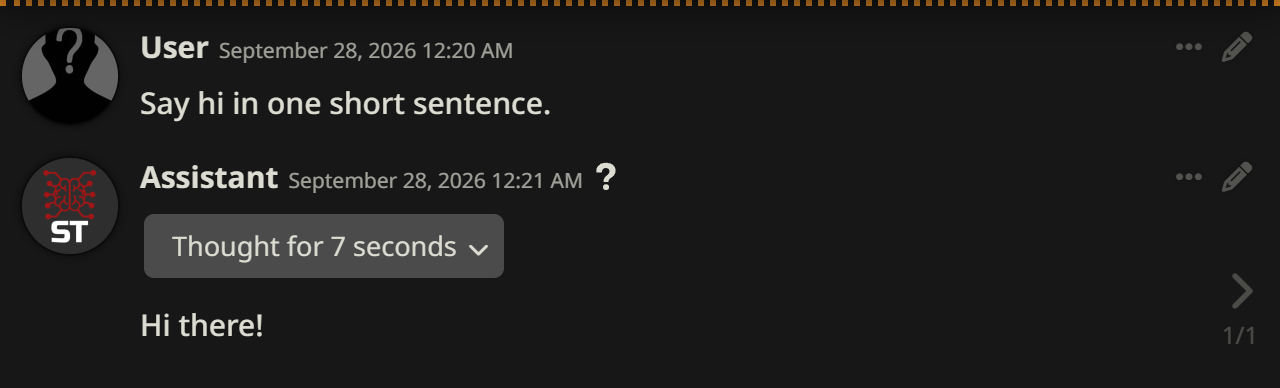
A reply means everything works. To try it before choosing a character, press Test Message in the panel; it sends a single line.
If it will not connect
- Keep /v1 at the end of the address and do not add /chat/completions; SillyTavern adds it itself.
- If it is connected but keeps warning you, turn on Bypass API status check.
- 401: the key is wrong; copy it again and press Connect. 402: insufficient balance. Claude, GPT and other big models are charged by usage; top up on the Pricing page or switch to a free model.
