


Promotion reward
Post something public that includes your invite link. Once it is approved, you can use Claude, GPT, Gemini, Grok and other big models for free in the web chat.
The reward does not stop at a fixed number: the better the post, the more free answers you get.
Steps
Copy your invite link
On the "My account" page, under Invite friends, click Copy link. You can also copy it right below.
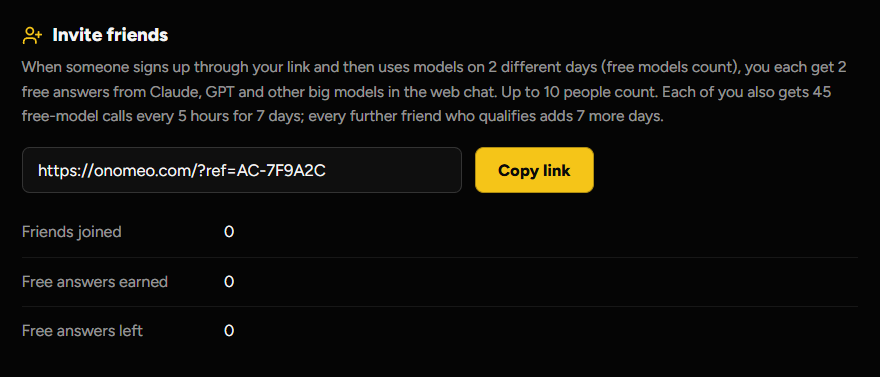
The part that starts with AC- is your invite code. Loading…
Post it anywhere public
A post, a comment, an article or a video description all count. Include the link from step 1.
Social postMade a snake game from one sentence this weekend, on onomeo. It cost nothing. https://onomeo.cyou/?ref=AC-XXXXXX
The link can be in the post itself, in a comment or in a description. Submit its address
On the "My account" page, under Promotion reward, enter the address of your post and click Submit for review. You can also submit it right below.
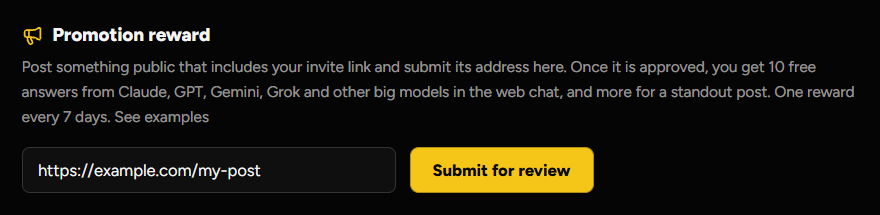
After that it reads "Submitted and waiting for review." Loading…
Wait for the review
Once it is approved, the free answers are added to your account.
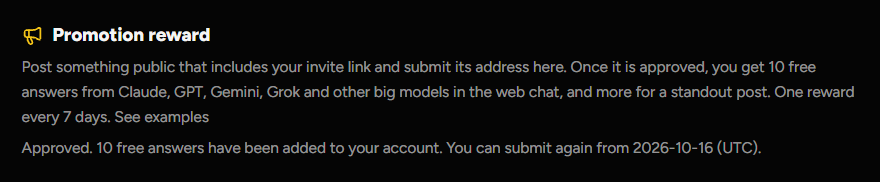
A submission that is not approved can be sent again after a day.